Since version 18.11.0 TRSuite can be run from the command line in Windows. The command TRSuiteCLI -wf <sample_workflow.xml> will run a particular workflow as defined in the passed XML file.
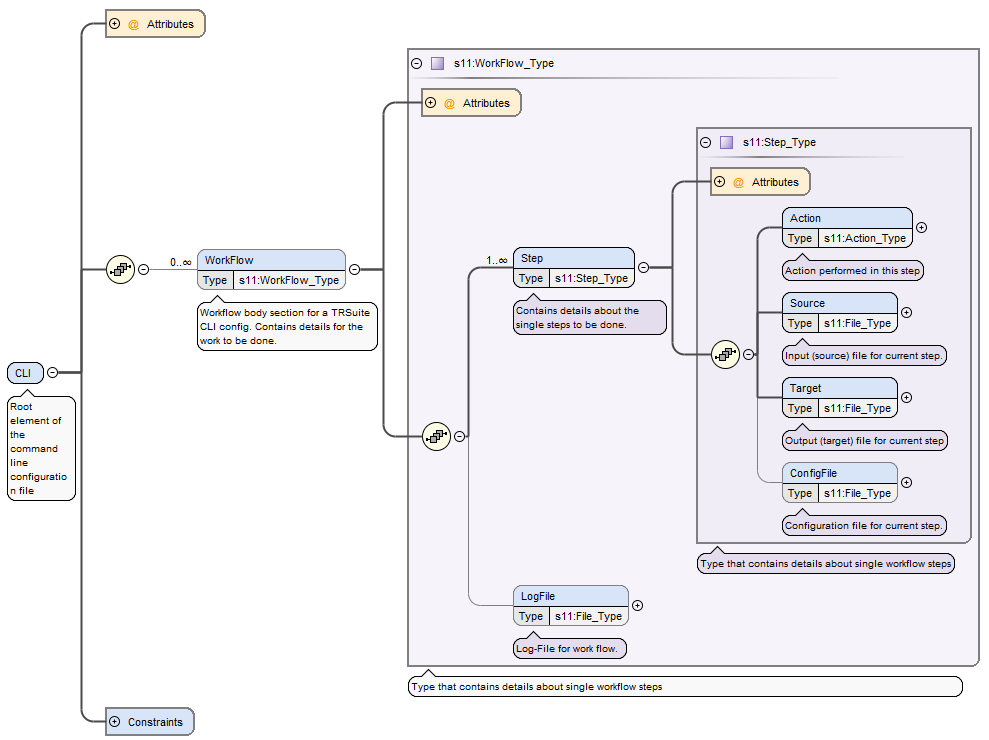
A single workflow xml-file can contain multiple workflows (each with an unique id), performing at least one step. Each step needs to define at least an action, a source and a target file. Depending on the action additional attributes and configurations can be specified.
Following actions are defined:
- convert
- report
- validate
- package
- sign
- encrypt
- decrypt
- compress decompress
The sample below defines a workflow to convert a given excel data source to a TRSuite work item.
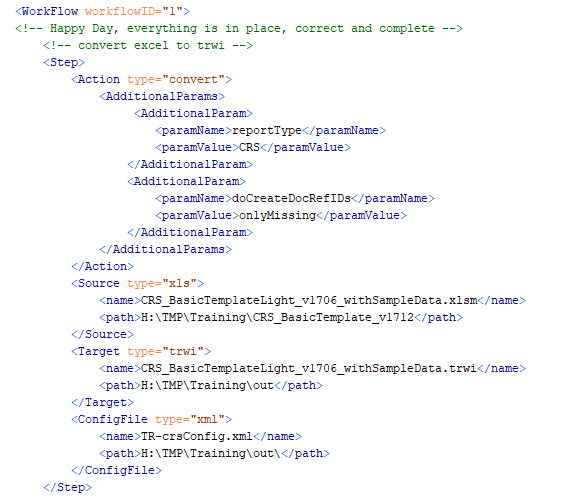
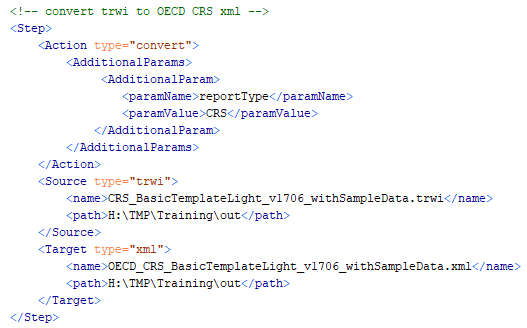
The work item can then be opened with the application or as input for another step or workflow, e.g. converting the generated trwi to the final OECD XML.
All passed xml file needs to validate against the provided schema:
Usage
java ch.section11.tr.cli.TRSuiteCLI -wf C:\sample_workflow.xml -id 1
...